WellWired Journal
What is ChatGPT? The Simplest Explanation You Will Find
A plain English explanation of what ChatGPT is, what it can do, and what it can't, with simple examples.
Quick Summary: This article answers the basic question, what is ChatGPT, in simple terms. It explains that ChatGPT is a chat box style AI tool that replies in ordinary language and can help with writing, explanations, and planning. It also clarifies what ChatGPT is not: it is not a human, it does not know your personal life, and it can make confident mistakes. The guide gives example prompts for letters, recipes, trips, and summaries, and shows how to improve answers by adding context, changing tone, or asking for shorter versions. It emphasises safety, advising you not to share passwords, bank details, or full addresses and to verify important facts. It encourages small first experiments to build confidence. The main takeaway is that ChatGPT is a patient helper for everyday word based tasks, and you stay in control by checking and editing its output.
If you have heard people talk about ChatGPT and felt a bit lost, you aren't alone. It sounds technical, but it's actually simple once you see it in action.
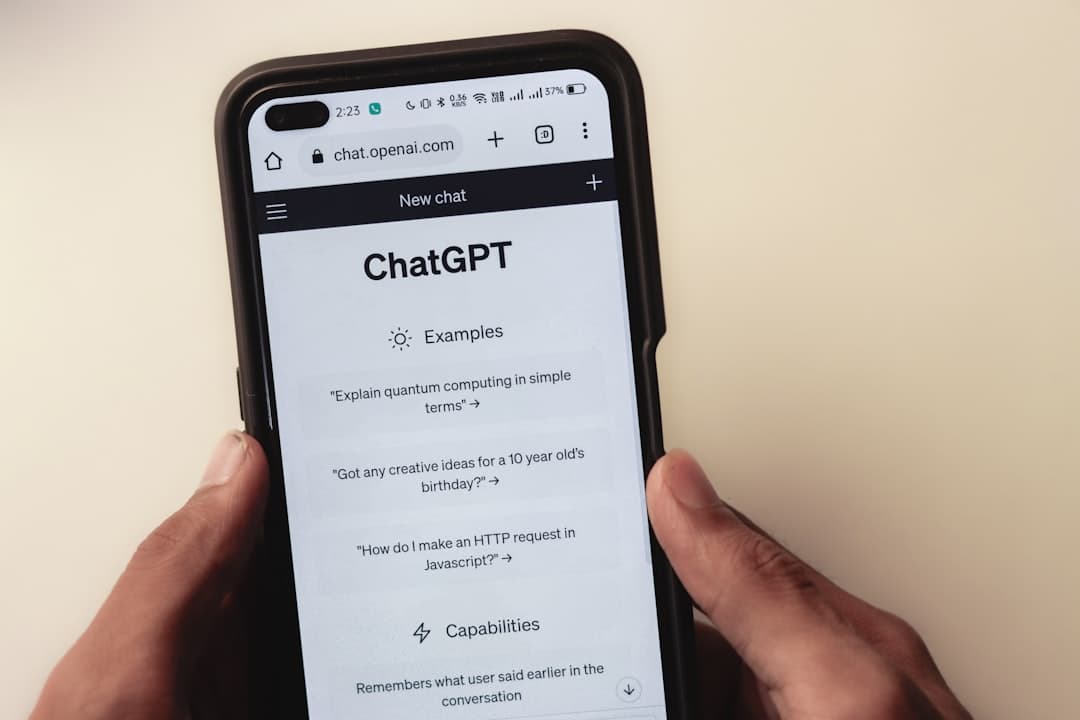
ChatGPT is a tool you can type into, like a chat box. You ask a question or give it a task, and it replies in ordinary language. Think of it as a very patient helper who doesn't get tired.
What ChatGPT is
ChatGPT is a type of AI that has been trained on lots of writing. It doesn't have feelings or opinions, but it can put words together in a helpful way. You can try it free at chat.openai.com. no download needed, just sign up and start typing.
It's good at explaining, drafting, and brainstorming. You can ask it to write a letter, summarise a long article, or explain a topic in simple terms.
What ChatGPT isn't
It isn't a human and it doesn't know your personal life. It doesn't have access to your bank account, your NHS records, or your private files.
It can also make mistakes. It might sound confident while being wrong, so it's important to double check anything that matters.
What you can ask it to do
Almost anything that involves words. People use it for letters, recipes, travel planning, and learning new skills. It's also useful for simple explanations, like "what does inflation mean?"
If you want inspiration, try our practical uses page for ideas.
Prompts to get you started
- "Explain artificial intelligence in simple terms."
- "Write a polite email to my neighbour about a noisy party."
- "Give me a simple recipe using chicken and potatoes."
- "Plan a two day trip to Bath for someone who doesn't drive."
- "Summarise this article in five bullet points: [paste text]."
If you want more ideas, our article on 10 things to ask ChatGPT has copy-paste prompts ready to go.
How to get better answers
The more context you give, the better the answer. Try including who the message is for, what your goal is, and any limits you have, such as time or budget.
If the reply is too long, ask for a shorter version. If it's too technical, ask for a simpler explanation. It will happily adjust.
Keep your details safe
Don't share personal details like passwords, bank information, or your full address. Use placeholders like [address] and add them yourself later.
For more on safety, see our AI safety guide and common fears about AI.
What a simple chat looks like
You type a question like, "Explain what a chatbot is," and it replies with a short explanation. If it's too long, you can say, "Make that shorter." If it's too complex, say, "Explain it like I am 12."
It's normal to refine your question. The conversation style makes it easy to keep adjusting until the answer fits.
Common first steps
- Ask for a simple explanation of a topic you keep hearing about
- Try a small writing task like a thank you note
- Ask for a recipe using ingredients you already have
- Ask for a plan for a short trip or day out
- Ask for a short summary of a long article you found
A gentle first try
If you are curious, start with a tiny question you already know, like a recipe or a local day out. That makes it easy to spot whether the answer feels useful. We've been testing ChatGPT since early 2023, and these everyday tasks are consistently where it performs best.
Helpful links for beginners
If you want to explore further, these links are a good starting point.
- What is AI?
- How to use ChatGPT
- Try AI now
- Practical uses for AI
- Glossary of simple AI terms
- Common fears about AI
- Learn more with simple guides
- Back to the blog
- Staying safe with AI
FAQ
Is ChatGPT free?
There's a free version with limits. You can try it without paying and decide later if you want a paid plan.
Can ChatGPT access the internet?
It depends on the version you use. Some versions can browse, but you should still check sources yourself.
Will ChatGPT remember me?
It remembers the current conversation, but it doesn't know your personal details unless you tell it.
Start with one calm, practical guide.
A friendly 5-page guide to help you understand AI, know what to try first, and avoid the most common mistakes. You'll also get a weekly plain-English email. Unsubscribe anytime.
About the Author

Want to keep learning?
Explore more in-depth guides or start a structured learning path built for beginners.